
Handwriting OCR
Convert handwriting to editable text
Upload handwritten notes, cursive letters, or tables. Review the text beside your page, then export the document.
Drop pages or folders here
Upload up to 10 pages in one document with your free allowance. Folders and large collections open the batch organizer.
SEE WHAT HANDWRITING OCR CAN DO
Your handwriting.
Ready to work with.
From everyday notes to a page of cursive. Compare the original with the text Inksight returned.
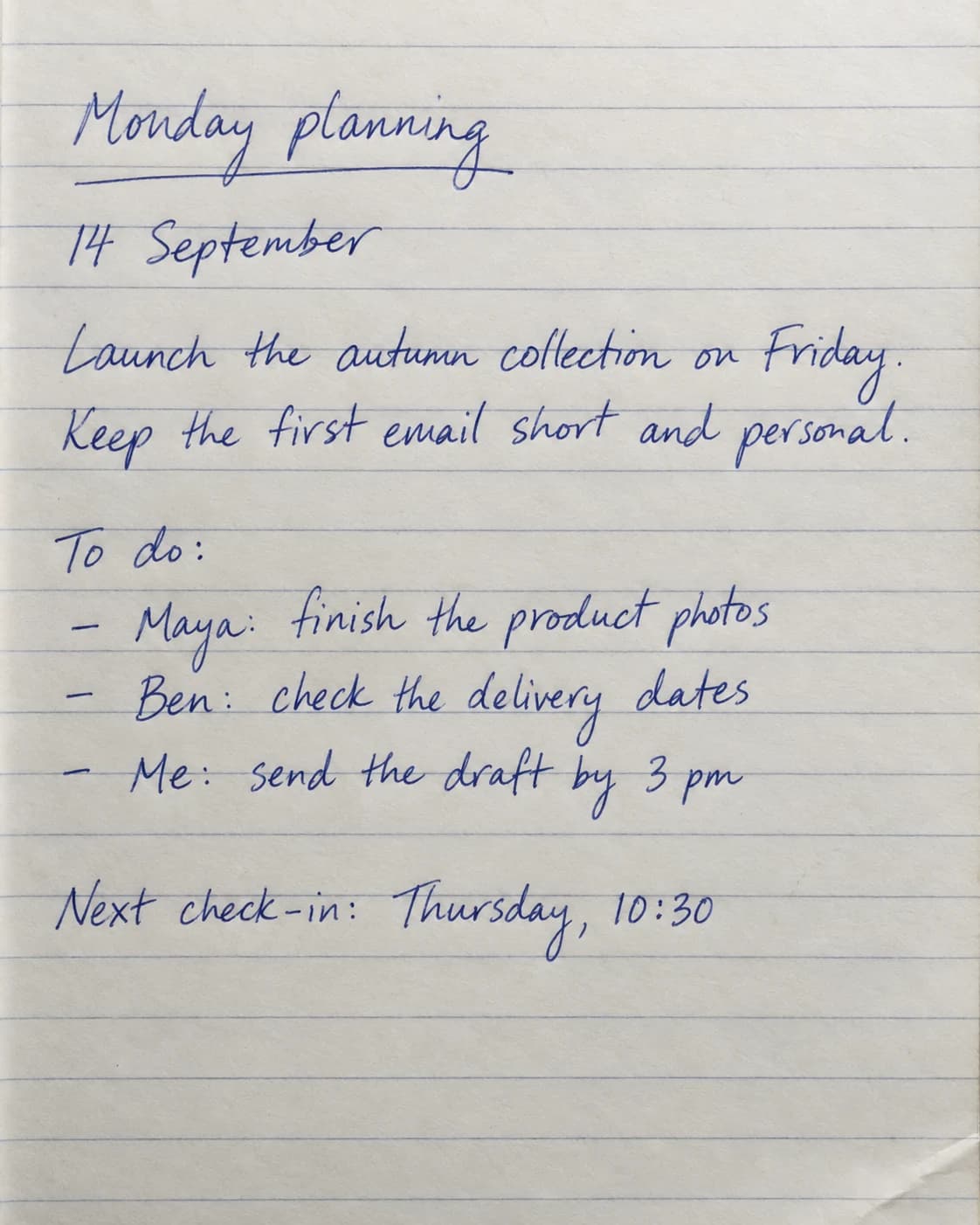
Monday planning
14 September
Launch the autumn collection on Friday.
Keep the first email short and personal.
To do:
- Maya: finish the product photos
- Ben: check the delivery dates
- Me: send the draft by 3 pm
Next check-in: Thursday, 10:30
The heading, action items, and meeting time stay together in a readable document.
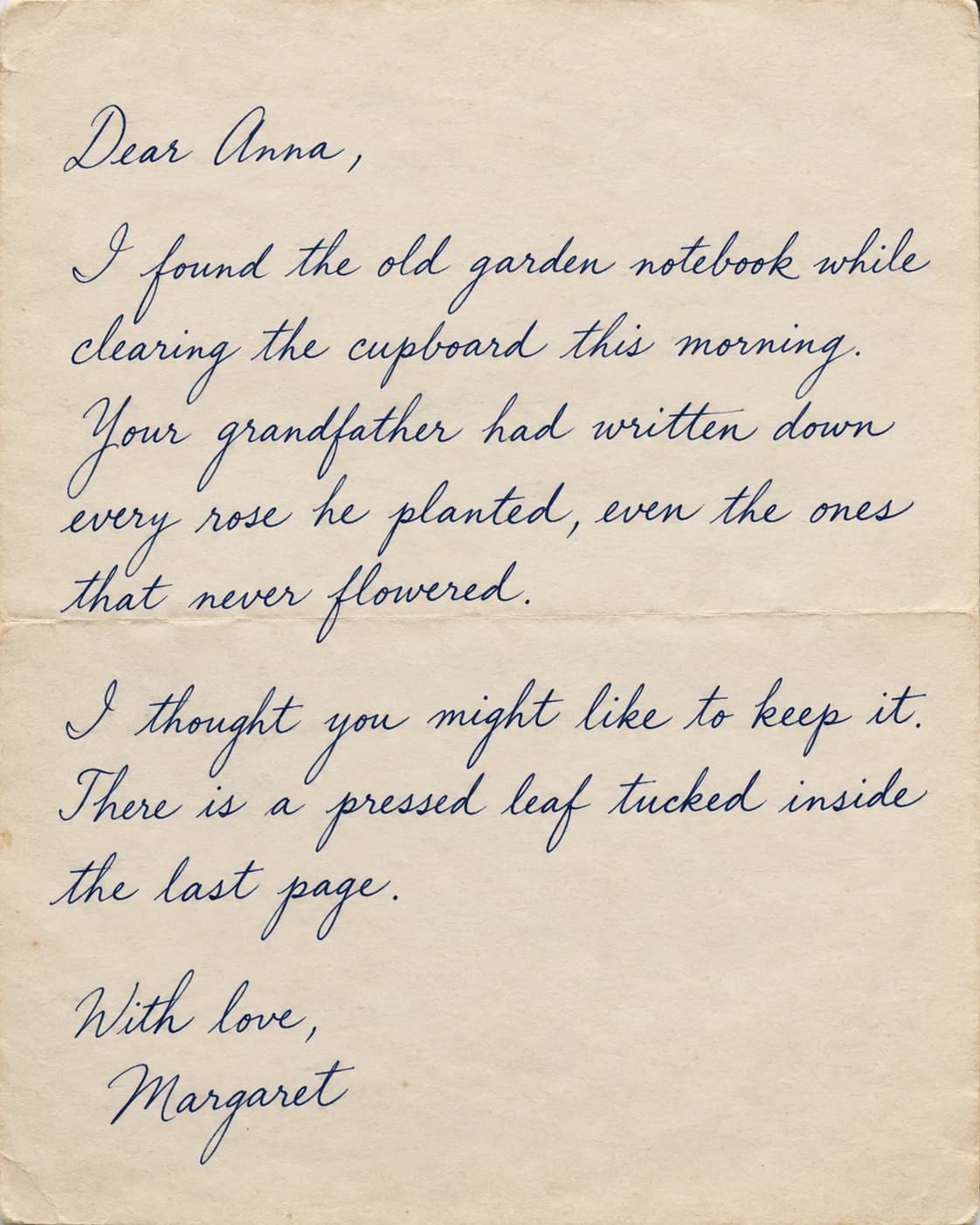
Dear Anna,
I found the old garden notebook while clearing the cupboard this morning. Your grandfather had written down every rose he planted, even the ones that never flowered.
I thought you might like to keep it. There is a pressed leaf tucked inside the last page.
With love,
Margaret
Connected cursive becomes text you can select, search, and copy.
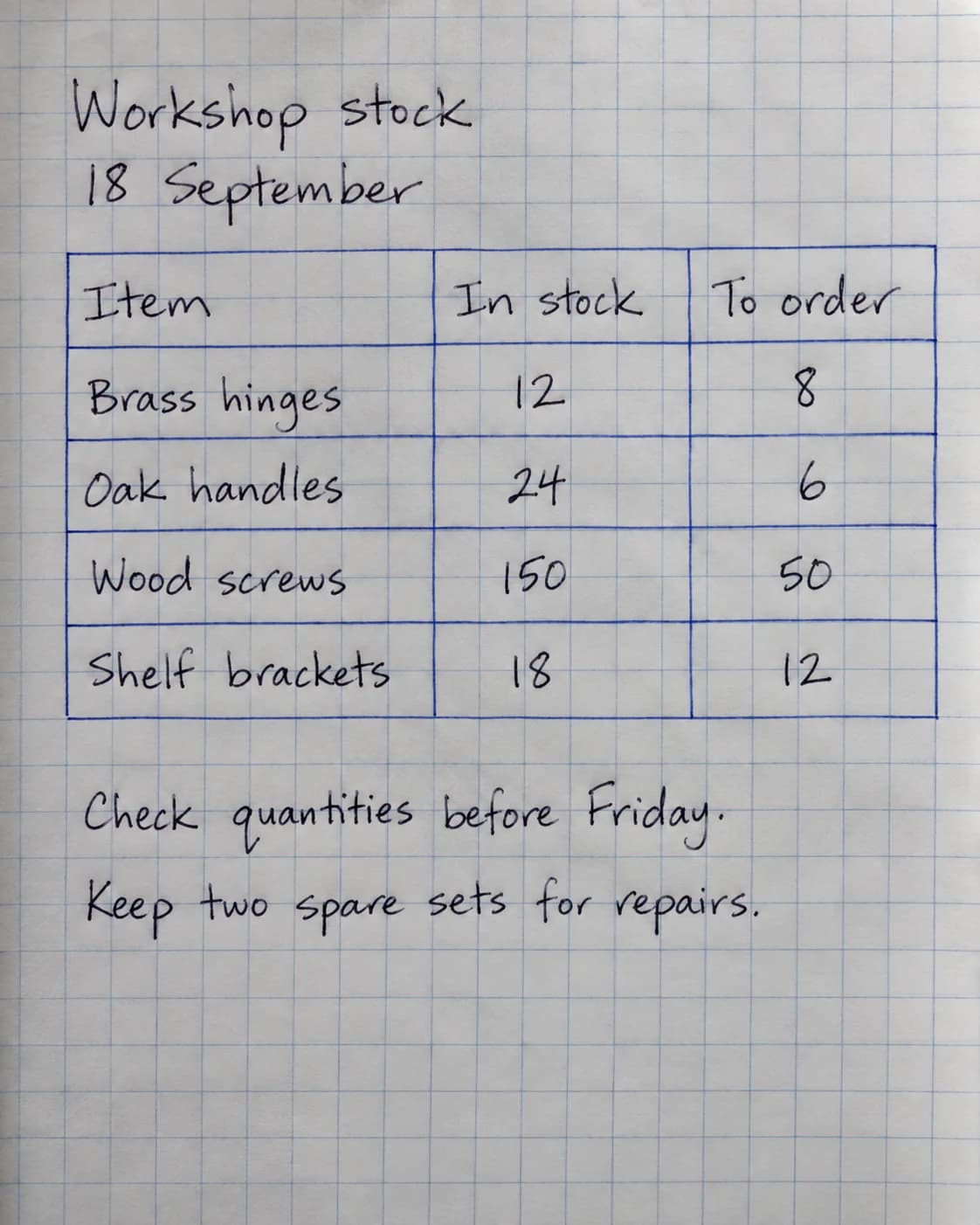
Workshop stock
18 September
| Item | In stock | To order |
|---|---|---|
| Brass hinges | 12 | 8 |
| Oak handles | 24 | 6 |
| Wood screws | 150 | 50 |
| Shelf brackets | 18 | 12 |
Check quantities before Friday.
Keep two spare sets for repairs.
Four rows, three columns. The quantities remain paired with the right items.
AI-generated sample pages, transcribed with Inksight’s OCR. Results shown without text corrections. These examples illustrate the workflow; accuracy varies with handwriting and image quality. Always review names and numbers.
Explore our accuracy benchmark4.6 out of 5 on Google Play.
135 ratings · 32 written reviews · Play snapshot checked 30 August 2026
Nearly 99,000 completed production OCR pages · Production sessions recorded across 144 countries · Usage snapshot October 1, 2026. How these figures are counted
Convert handwriting to editable text—not another screenshot.
Scan handwritten notes in your browser, correct the result beside the original page, then copy it or export a working PDF, Word, Excel, or text file.
Notes and notebooks
Digitize class notes, meeting pages, journals, and research notebooks without retyping them line by line.
Mixed pages
Keep printed headings, handwriting, lists, tables, and annotations together as one structured document.
Multi-page documents
Upload several photos or a PDF, reorder the pages, and continue the same document on Android.
OCR that ends in a document.
The original stays visible while you review the result. Nothing is hidden behind a download until you know the page was understood.
| Capability | Inksight | Basic OCR |
|---|---|---|
| Editable result | Yes—review and correct in the browser | Usually returns plain text only |
| Document exports | PDF, Word, Excel, and text | Copy or text download |
| Original beside result | Yes, page by page | Varies |
| Cross-device library | Web and Android with one account | Varies |
Handwriting recognition across 50+ languages.
Scan Latin-script notes in English, Spanish, French, Portuguese, and more, as well as Arabic, Hebrew, Hindi, Bengali, Tamil, Chinese, Japanese, Korean, and other supported scripts. Language is detected from the page—there is no selector to configure first.
Recognition quality varies with handwriting, image clarity, page angle, and document structure. Review important names and numbers before using an export.
Before you scan a page.
How do I convert handwritten notes to text online?
Upload a photo, scan, or PDF. Inksight reads each page, shows the editable transcription beside the original, and lets you copy or export the result.
How accurate is Inksight at reading handwriting?
Our September 2026 benchmark compares OCR systems on 205 handwritten pages from public datasets and the Inksight Benchmark. It measures character and word errors on that fixed sample; results on your documents will vary with handwriting, image quality, and layout.
Is the handwriting to text converter free?
Your first ten web pages are free. After that, Inksight still finishes the page and shows a locked document preview before you choose a plan.
Can I convert handwriting to Word or PDF?
Yes. You can export completed pages as Word, PDF, plain text, or Excel when the document contains a table.
Does it work with cursive and languages other than English?
Inksight supports cursive and more than 50 languages across Latin and non-Latin scripts. Clear, well-lit images give the best result.
Scanning something specific?
These pages cover one kind of page, script or file. They all use the same scanner as this one, so your document opens anywhere you sign in.