
Cursive reader
Read cursive handwriting from a photo
Upload a photo or PDF of a cursive letter, note or diary. Check the transcription beside your page, then copy or export the text.
Drop pages or folders here
Upload up to 10 pages in one document with your free allowance. Folders and large collections open the batch organizer.
CURSIVE HANDWRITING · BEFORE & AFTER
Read the letter.
Keep the words.
Compare this cursive sample with the text Inksight actually returned. You can select, search and copy the transcription.
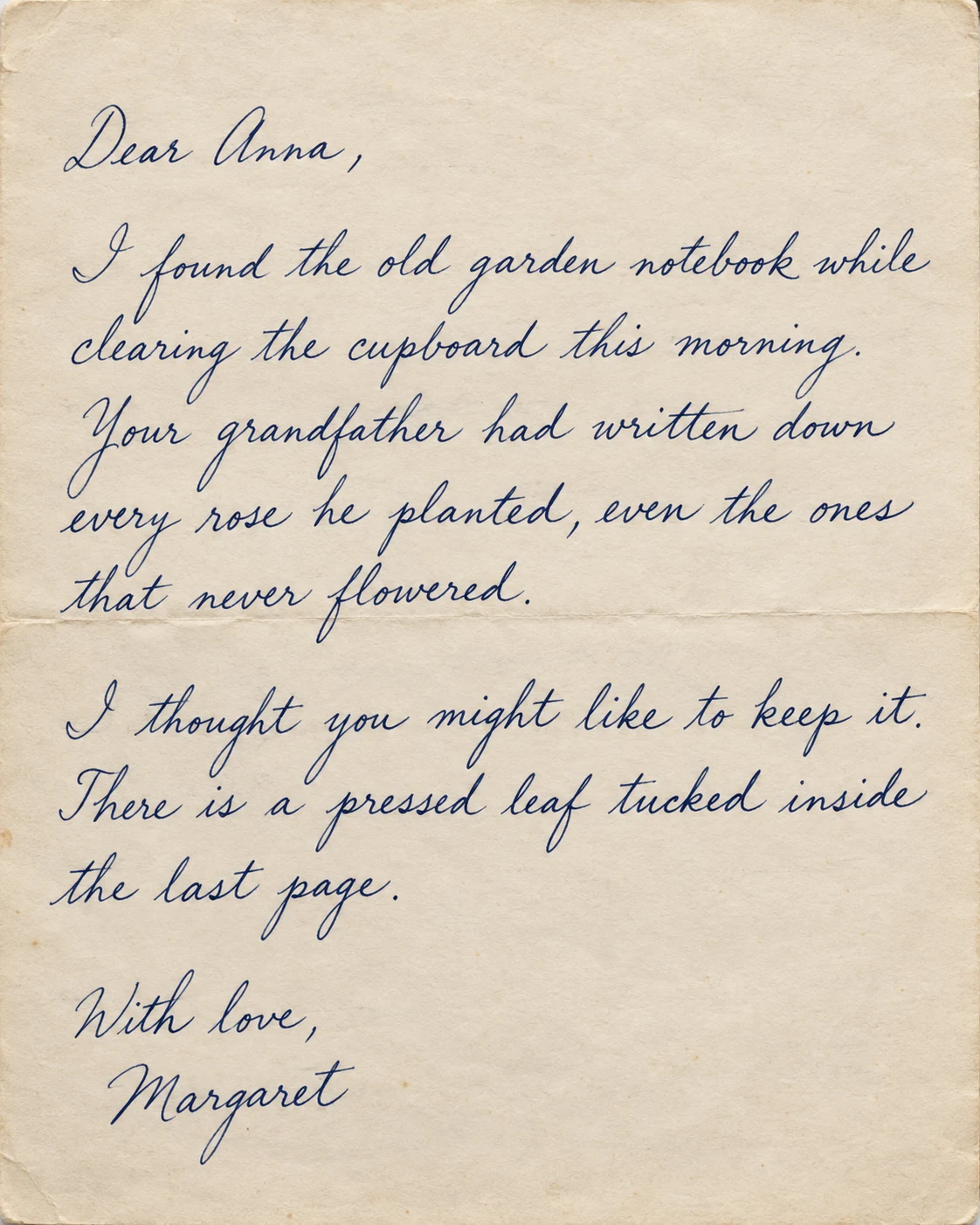
Dear Anna,
I found the old garden notebook while clearing the cupboard this morning. Your grandfather had written down every rose he planted, even the ones that never flowered.
I thought you might like to keep it. There is a pressed leaf tucked inside the last page.
With love,
Margaret
Connected cursive becomes text you can select, search, and copy.
AI-generated cursive sample, transcribed with Inksight’s OCR. Result shown without text corrections. Accuracy varies with handwriting, script and image quality. Always review names, dates and numbers.
Read your own cursive page4.6 out of 5 on Google Play.
135 ratings · 32 written reviews · Play snapshot checked 30 August 2026
Nearly 99,000 completed production OCR pages · Production sessions recorded across 144 countries · Usage snapshot October 1, 2026. How these figures are counted
Joined-up writing, read as words.
Turn the cursive handwriting in your photos and PDFs into text you can edit. Compare the transcription with the original, correct any mistakes, then save the result as Word, PDF or text.
Everyday writing
Letters, cards, diaries and notebook pages.
Older writing
School cursive and old-style writing from the 1800s on.
Fast, messy writing
Class notes and meeting notes where the words run together.
OCR that ends in a document.
The original stays visible while you review the result. Nothing is hidden behind a download until you know the page was understood.
| Capability | Inksight | Basic OCR |
|---|---|---|
| Joined letters | Read as full words | Often broken into pieces |
| Page layout | Keeps paragraphs, lists and tables | Gives you one block of text |
| Fixing mistakes | Edit next to your page | Retype it somewhere else |
| File types | Word, PDF, Excel and text | Copy or .txt only |
Handwriting recognition across 50+ languages.
Scan Latin-script notes in English, Spanish, French, Portuguese, and more, as well as Arabic, Hebrew, Hindi, Bengali, Tamil, Chinese, Japanese, Korean, and other supported scripts. Language is detected from the page—there is no selector to configure first.
Recognition quality varies with handwriting, image clarity, page angle, and document structure. Review important names and numbers before using an export.
Before you scan a page.
Can OCR read cursive handwriting?
Yes. Inksight can transcribe cursive handwriting from a photo or PDF. Accuracy depends on the handwriting, script and image quality. Faded ink and unclear letters can lead to mistakes, so compare the result with the original before using it.
How do I turn cursive writing into text?
Take a photo of the page or scan it, then upload it here. The text appears next to your page. Fix anything that is wrong, then copy it or save it as Word, PDF, Excel or text.
Does it work on old cursive?
Usually, for writing from about 1800 on. Faded ink and very fancy letters make it harder. Check names, dates and numbers against your page.
Can it read messy writing?
Often yes, because it uses the rest of the sentence to help. But if a word is unclear on paper, the result is a guess. Your page stays on screen so you can check.
Is it free?
Your first ten pages on the web are free, exports included. After that Inksight still reads the page and shows you a locked preview, so you can see the result before you pick a plan.
Other ways to use Inksight.
Every tool uses the same OCR and the same document library, so a page you scan here opens anywhere else you sign in.
Also worth a look: how Inksight compares with other OCR models, pricing and the Android app.